Learn bytyping

Python, SQL, Linux, Git, Docker, AWS and Terraform, taught in a real terminal. Every lesson opens your own container, and every step is checked inside it.

agent@cloudcorp: ~/cloudcorpInfiltrate the directoryLocate the encrypted blackbox

Mission: there is a secret file in this folder. Find it.

Start with ls and press Enter.

9 courses, 108 lessons.
Free to start.

How a lesson works

There are no videos. Every one of the 108 lessons follows the same five moves, and the middle three happen in a real shell.

Read the briefing

Each lesson opens as a short mission briefing: what you are about to do and why it matters on a real server.

Ghost Protocol: Finding the Blackbox

Listen up, Recruit. You’ve been dropped into a compromised server at CloudCorp HQ. Our agents have hidden a critical data packet, the Blackbox, somewhere in this directory.

Your first directive: ls

Fifty years, one prompt

The command line has outlived every interface built around it. What you type into a cloud server today is what operators typed into these.
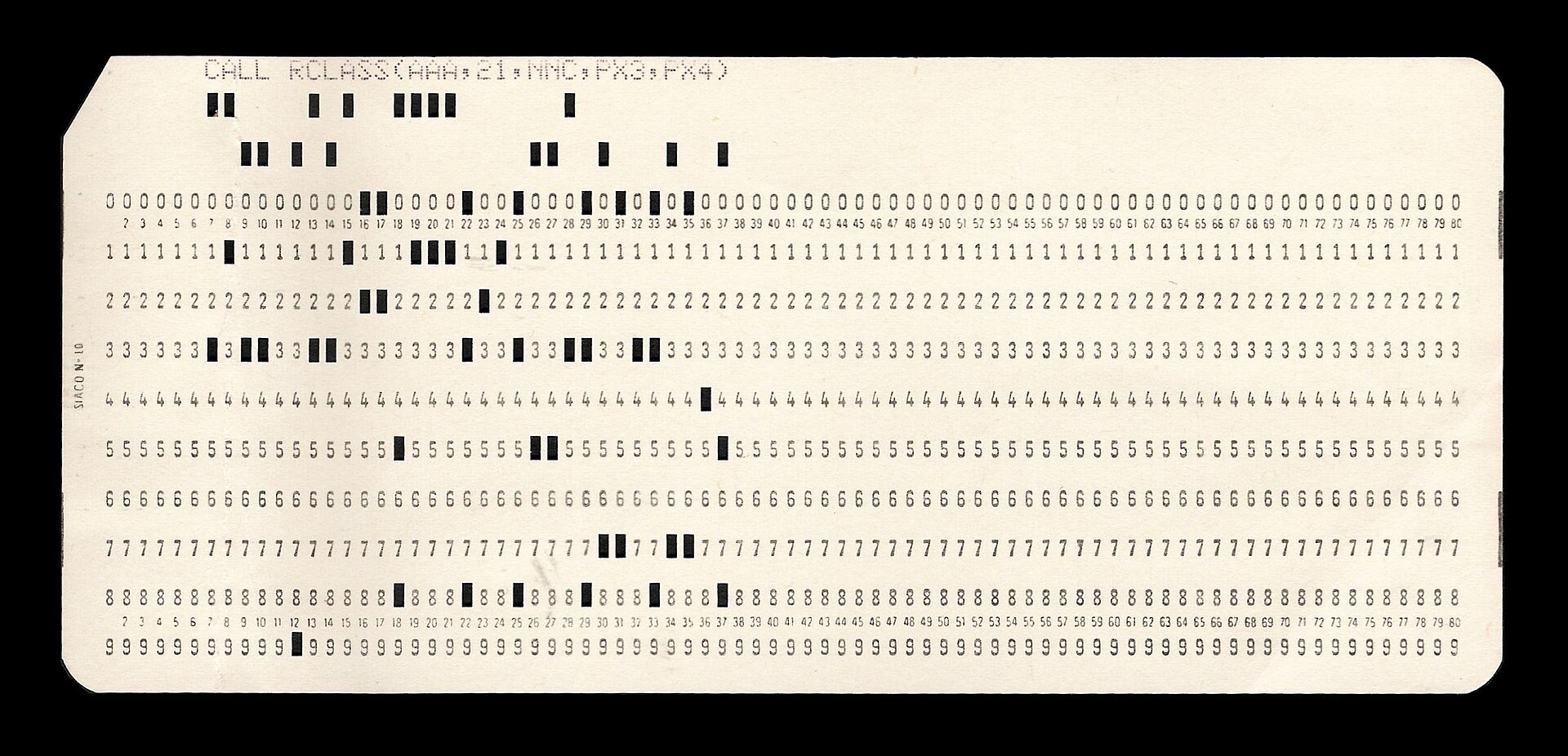

An IBM punched card with rows of printed digits and punched holes
Punched card. Before programs were text, they were holes in paper.
A beige Teletype Model 33 with a paper roll and keyboard
Teletype Model 33, 1963. The tty in /dev/tty is named after machines like this.
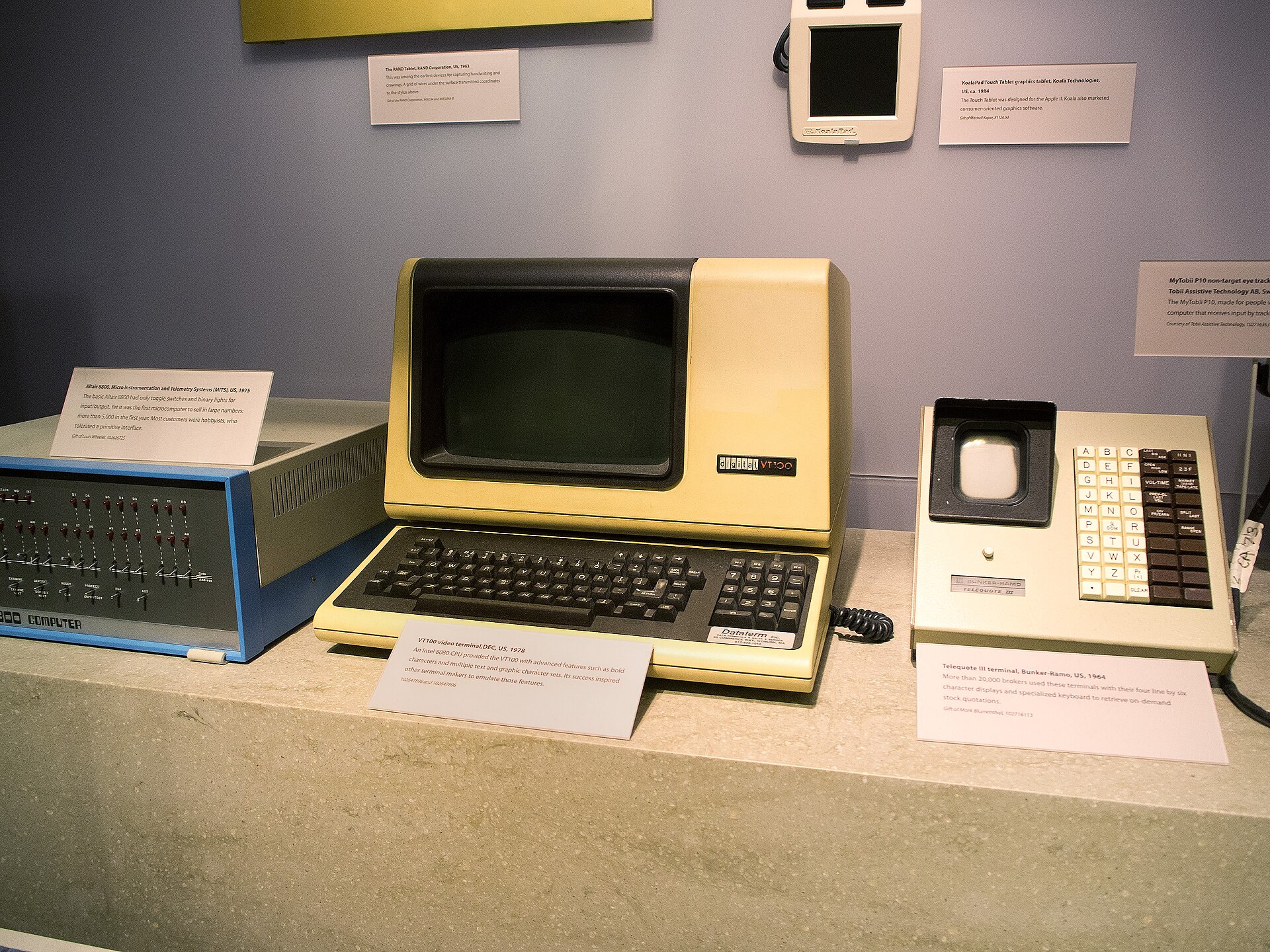
A DEC VT100 terminal on display at the Computer History Museum
DEC VT100, 1978. Its escape codes still colour your terminal today.
A Star Trek text game on a Radio Shack TRS-80 video display
Star Trek, a text game, on a TRS-80 display, 1977. The prompt came home.

Courses

Python Foundations: Your First Programs6 lessons

Write and run real Python programs from day one: printing, variables, decisions, loops, functions and reading files. No experience needed.

  • First Programs2
  • Decisions and Loops2
  • Functions and Files2
Start with lesson one →
SQL with SQLite: Asking Questions of Data5 lessons

Learn SQL by querying a real shop database: select, filter, sort, count, total, join tables and change data. No experience needed.

  • Reading Data2
  • Summaries and Joins2
  • Changing Data1
Start with lesson one →
Terminal Tactics: Survival in the Shell26 lessons

Infiltrate the core. Master the command line, bypass security, and seize control of the filesystem. Your survival depends on the shell.

  • Phase 1: Shadow Navigation3
  • Phase 2: The Iron Gate (Permissions)3
  • Phase 3: Ghost in the Machine (Processes)3
  • Phase 4: Deep Net (Networking)3
  • Phase 5: Resource Acquisition (Software)2
  • Phase 6: Automatic Sentinels (Automation)3
  • Phase 7: Data Stream (Piping)2
  • Phase 8: Terminal Scribing (Text)2
  • Phase 9: Structural Core (Storage)2
  • Phase 10: Final Extraction2
  • Phase 11: Remote Infiltration (SSH)1
Start with lesson one →
The Automator's Grimoire: Scripting Wizardry9 lessons

Stop typing, start summoning. Learn to weave complex shell scripts that automate your will and control the machine like a digital sorcerer.

  • Circle 1: Summoning Basics2
  • Circle 2: The Flow of Power (Control)2
  • Circle 3: Rituals (Functions)1
  • Circle 4: Text Alchemist (Processing)1
  • Circle 5: Great Works (Automation)1
  • Circle 6: Robust Casting (Error Handling)1
  • Circle 7: Speaking to the Void (APIs)1
Start with lesson one →
Timeline Architect: Mastering the Time Machine17 lessons

Rewrite history. Branch the multiverse. Become the master of time and space in your codebase. Control every version of reality.

  • Protocol 1: Anchoring Reality2
  • Protocol 2: Forensic Analysis2
  • Protocol 3: Branching Multiverses2
  • Protocol 4: Crisis Management2
  • Protocol 5: Off-World Storage2
  • Protocol 6: Allied Operations2
  • Protocol 7: Deep Chronology2
  • Protocol 8: Code Ethics2
  • Protocol 9: Automated Sentinels1
Start with lesson one →
Containment Breach: The Architect's Ship17 lessons

Stop worrying about 'it works on my machine.' Build impenetrable digital vaults and ship your code in fortified containers across the internet.

  • Zone 1: The Isolation Chamber2
  • Zone 2: Structural Blueprints (Images)2
  • Zone 3: Life Cycle Management2
  • Zone 4: Subterranean Networks2
  • Zone 5: The Eternal Archive (Volumes)2
  • Zone 6: Fleet Operations (Compose)2
  • Zone 7: Global Distribution2
  • Zone 8: The Iron Curtain (Security)2
  • Zone 9: Pro Optimization1
Start with lesson one →
Pipeline Pilot: The CI/CD Flight Manual12 lessons

Strap in. Automate your delivery, build robust pipelines, and launch your code into production with zero-manual intervention. You are the pilot now.

  • Altitude 1: Flight Fundamentals2
  • Altitude 2: Auto-Pilot (Workflows)2
  • Altitude 3: Stealth Mode (Secrets)2
  • Altitude 4: Structural Integrity (Testing)2
  • Altitude 5: Cargo Delivery (Deployment)2
  • Altitude 6: Fleet Formations (Advanced)1
  • Altitude 7: Secure Landing (CD)1
Start with lesson one →
Sky-High Systems: The AWS Odyssey7 lessons

Leave the ground behind. Navigate the vast expanse of the Amazon cloud, harness its power, and build empires in the sky.

  • Sector 1: The Infinite Warehouse (S3)2
  • Sector 2: Digital Identity (IAM)1
  • Sector 3: The Engine Room (EC2)1
  • Sector 4: The Archive (DynamoDB)1
  • Sector 5: Ghost in the Cloud (Lambda)1
  • Sector 6: Signal & Noise (SQS)1
Start with lesson one →
World Builder: Infrastructure as Code9 lessons

Stop clicking, start coding. Learn to command the clouds with Terraform, build entire cities of servers in seconds, and control reality through text files.

  • The Blueprint (Foundations)2
  • Materialization (Applying)2
  • Dynamic Structures (Variables)2
  • The Archive (State Management)1
  • Reconnaissance (Data Sources)1
  • Prefabrication (Modules)1
Start with lesson one →

What you get

Your own box
Each course gets its own container: one CPU, 256 MB and a /workspace that survives a restart. Break it and start again.
Checked, not ticked
Progress is earned by commands that pass inside your container, never by a button that says done.
A tutor that sees
The AI tutor reads your recent terminal output, so it answers the error on your screen instead of a generic one.
AWS, no bill
The AWS and Terraform labs talk to LocalStack, a local stand-in for AWS. Create buckets and servers with no account and no charges.
Progress that stays
Passed steps are saved on the server, so a refresh or a new laptop never sends you back to the start.
108 lessons
Python and SQL for programming and data; Linux, Bash, Git, Docker, GitHub Actions, AWS and Terraform for DevOps.

Your shell
is ready

Create a free account and your first container starts the moment you open lesson one.

Create your lab

First course